Sharing Projects
Written By Clayton Combe
Last updated 11 months ago
Collaboration is key! Scenario Projects are designed to be shared.
People who have a Scenario Starter account will be able to view (but not edit) a shared Project, even if permissions are set to edit. Only Scenario Pro accounts can edit, depending on which permission you set. See Scenario account for more info.
Project sharing permissions
To enable others to view your Project and its contents, click the Share button in the upper right and change Sharing Permissions to something other than “Private,” then Update Project Sharing.
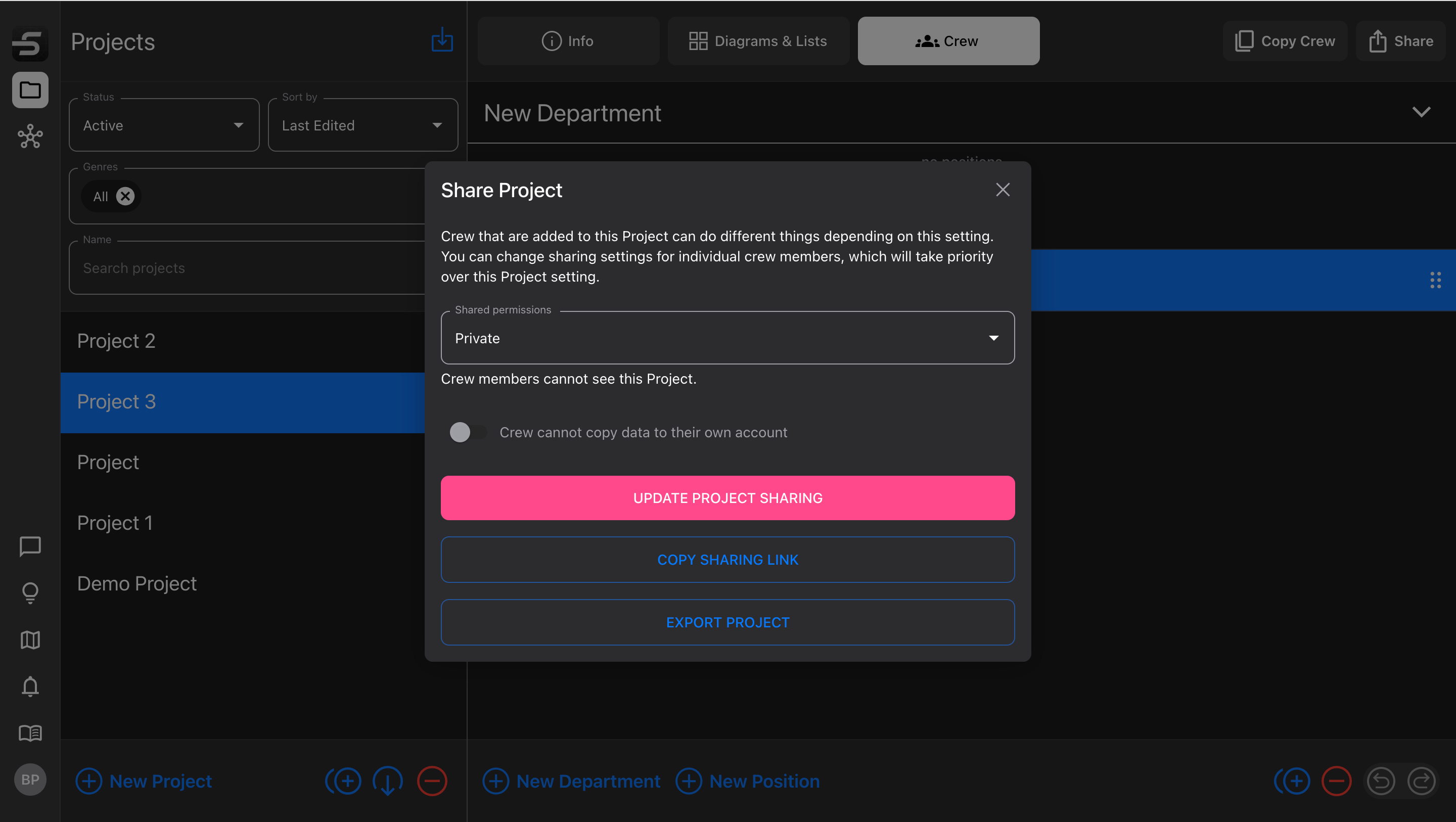
Toggle the switch below the drop-down to allow others to copy and paste data from your Project.
Private - only visible to the Project owner
No copy/paste enabled
View Only - Project contents can be viewed, but no changes can be made by anyone except the owner
A connected account can duplicate the whole Project to their own collection
Edit Diagrams & Lists - Diagrams and Lists can be edited, but not created or deleted
Copy/paste items from inside your Diagrams and Lists, to their own
Edit Project - all Project settings can be changed, Diagrams and Lists can be created and deleted, but the Project cannot be deleted by anyone except the Project owner
Copy/paste individual Diagrams or Lists from your Project, to their own
Sharing with Crew
Changing a Project’s sharing permissions will automatically apply that to all the Crew members on that Project. You can set the permission first, or add the Crew first; as soon as both things are true, they’ll receive an email notification that they’ve been added to a Project, and it will appear in their Projects list.
If you add a Crew member with an email address, and they don’t already have a Scenario account, they’ll receive an email anyway. Once they sign up with an account, they’ll be connected to the Project automatically. This is a great way to invite people to join Scenario!
If you want some Crew members to have different permissions than others, select the specific Crew member and update the sharing permissions for only that person. (Individual settings override Project settings.) This is helpful when:
You only want specific people to have editing permissions → leave the Project as View Only but set Editing for certain people
You want to plan your crew in advance, but only allow certain people to share → leave the Project as Private, but set View Only for those people
Sharing with a link
Not everyone who needs to view your work needs to create a Scenario account.
Set your Project sharing permissions to something other than Private
Click
Copy Sharing Linkto copy the URL to your device clipboardSend the link to anyone you want
When they go to that link in a web browser, they’ll be able to view that Project and its contents (but make no edits unless they upgrade to a Scenario Pro account)